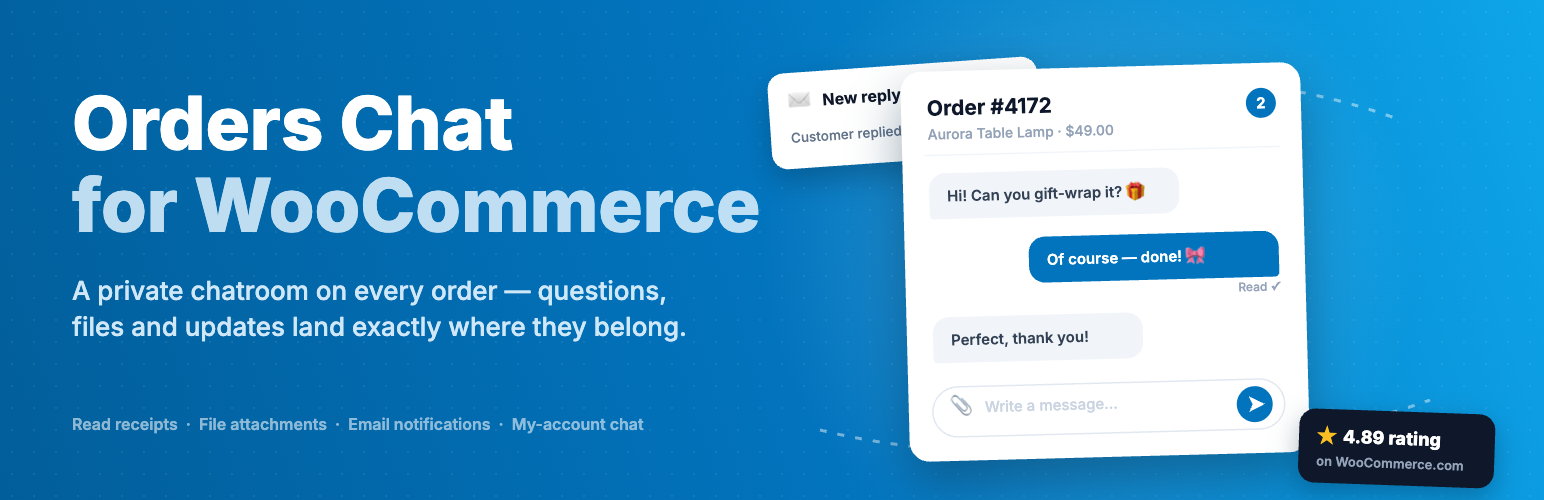
Order Messenger gives every WooCommerce order its own private conversation. Questions, files and updates land next to the products, totals and shipping details they are about, in your admin and in the customer’s account, so nothing gets lost in email threads or third-party messengers. The free version, Orders Chat for WooCommerce, is available on WordPress.org.
Everything a store needs to talk with customers
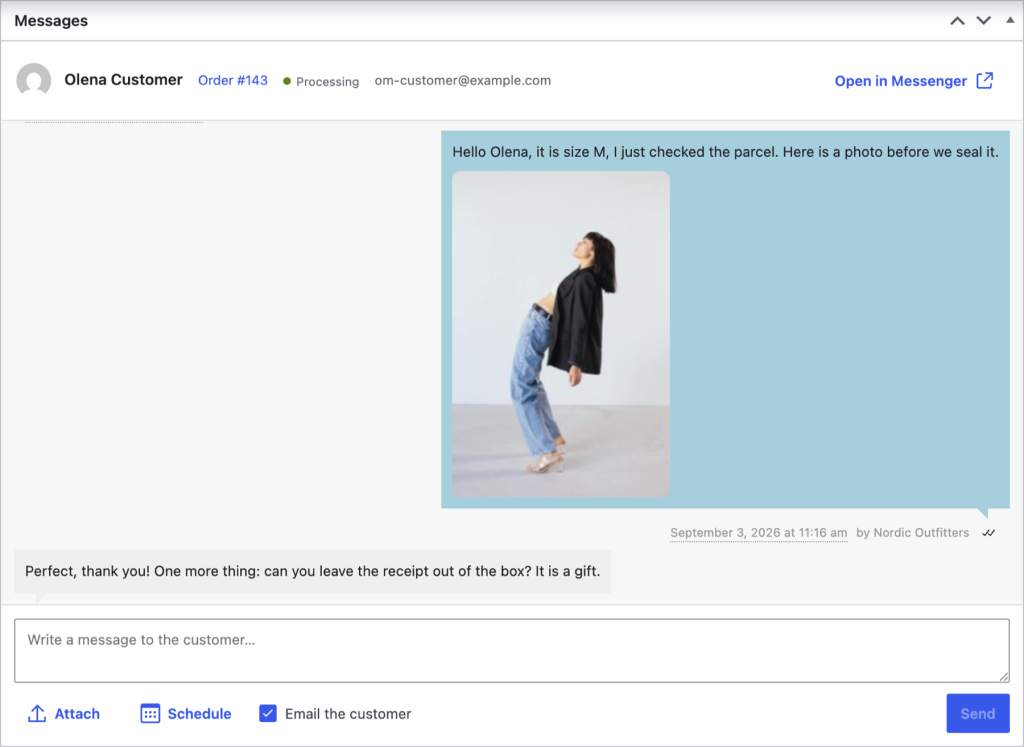
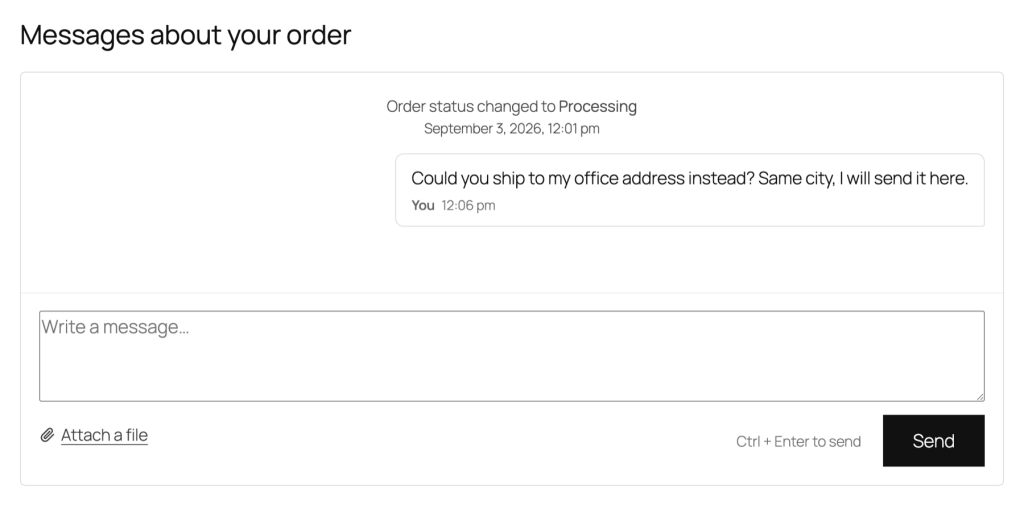
A chatroom on every order
Customers open the conversation from the Messages tab in My Account or from the order itself. Guests get it on the order confirmation page, protected by the order key.
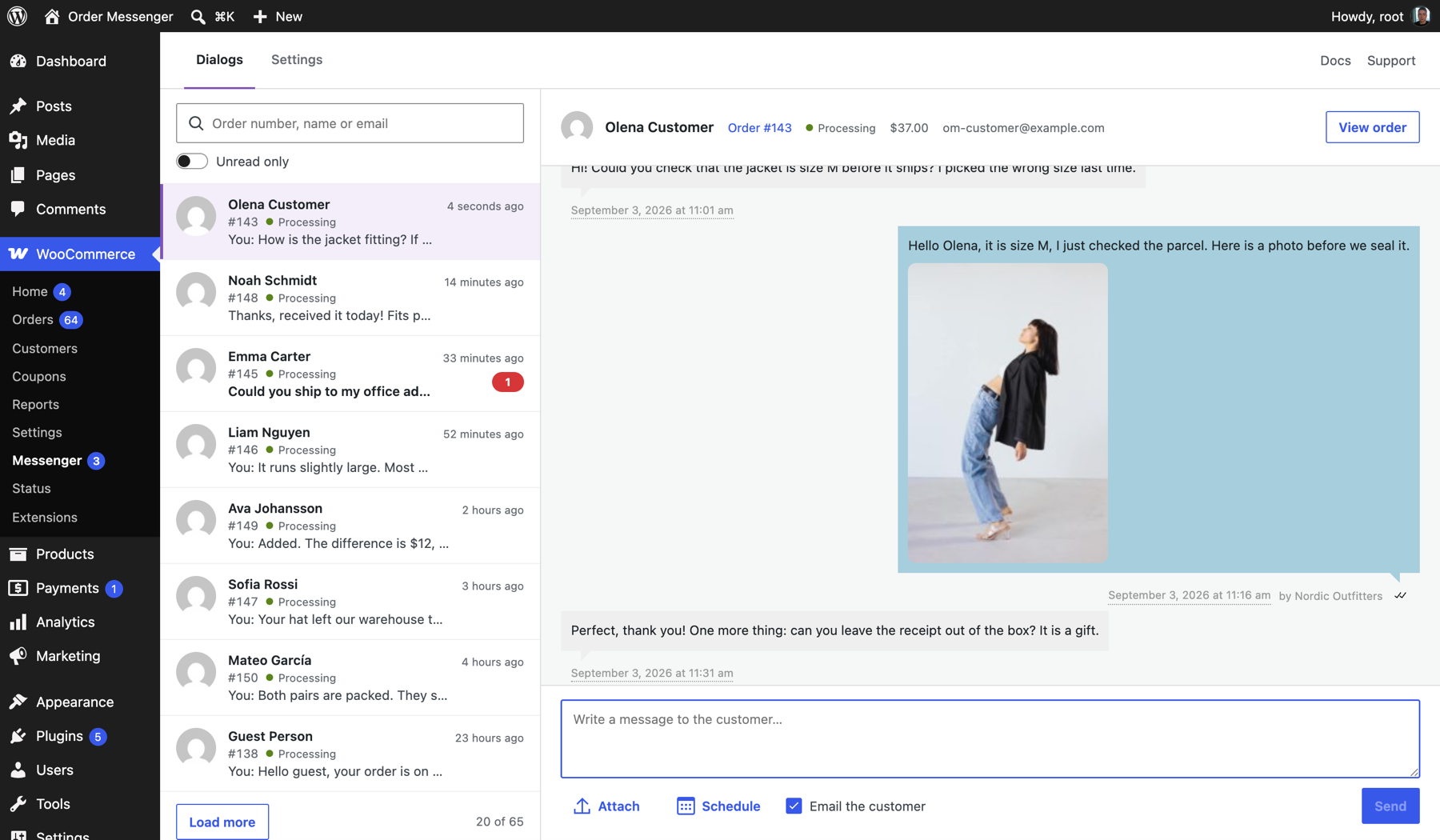
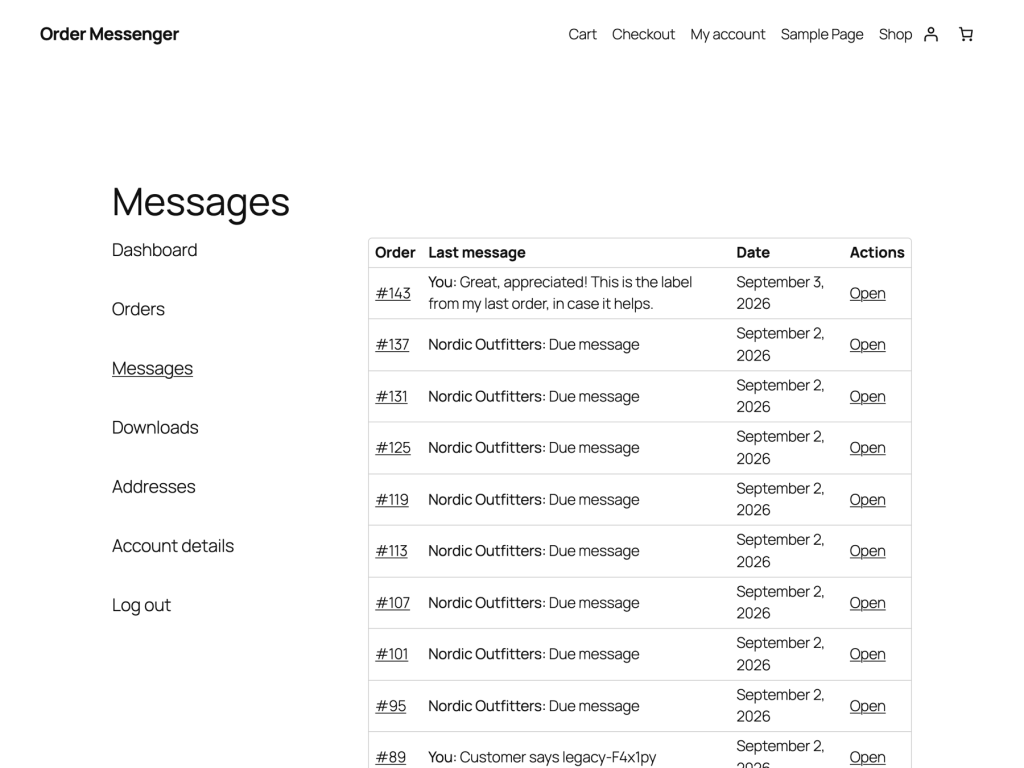
Messenger: one inbox for everything
The Messenger page lists every conversation with the latest message, status and unread badges. Search by order, name or email, filter to unread, answer without leaving the page.
Reply from anywhere
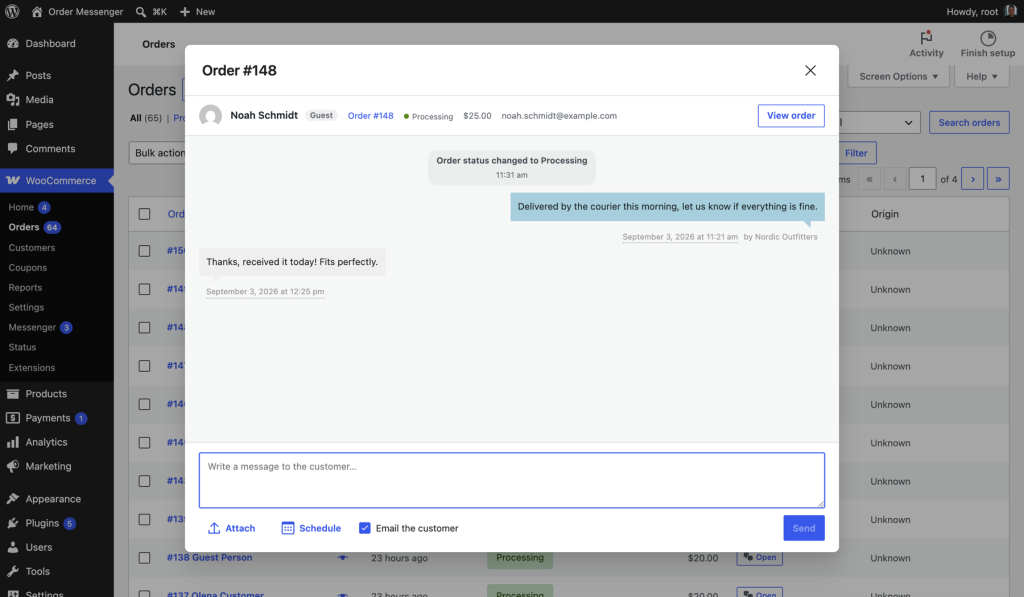
A Messages column with unread badges on the Orders list opens a quick chatroom in a modal, and the full conversation lives on the order screen too.
Attachments, both ways
Customers send photos and documents; your team attaches media library files. Everything is stored privately and served only to the people in the conversation. Allowed types and size are yours to set.
Notifications that don’t flood
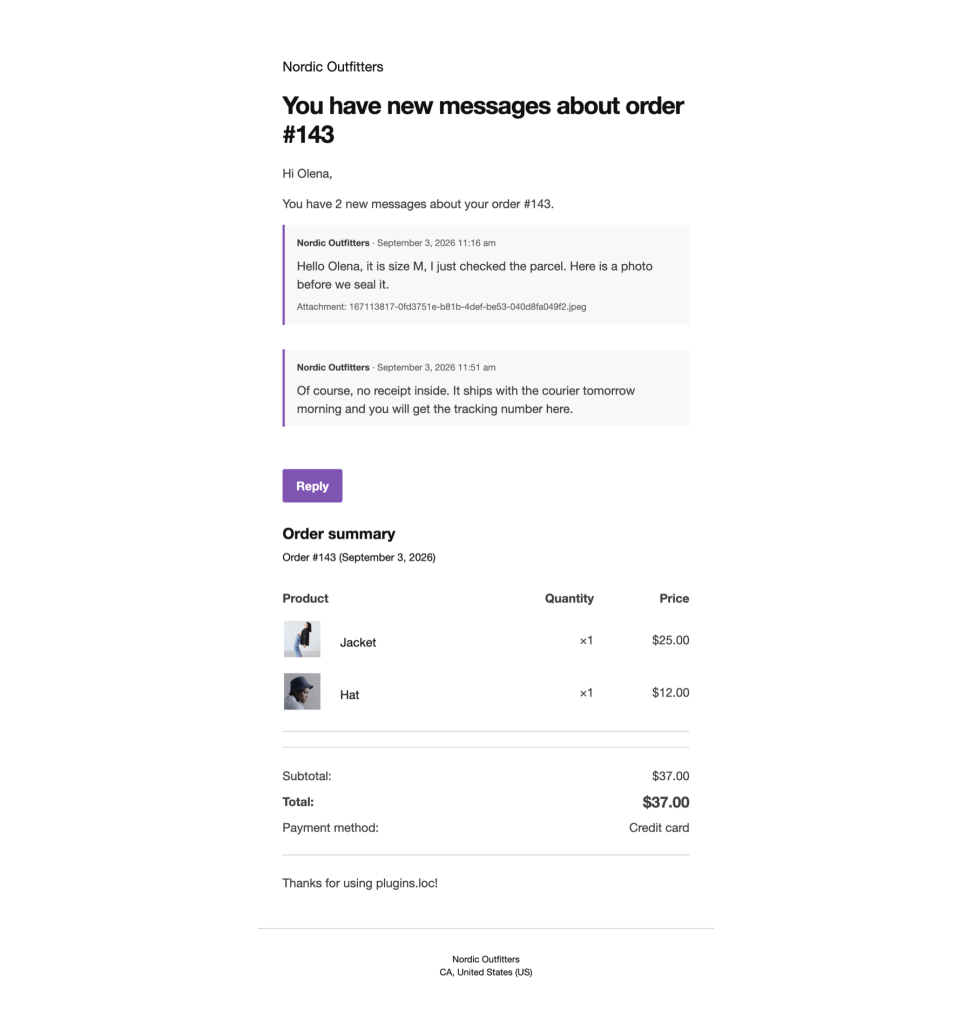
Both sides are emailed about new messages. Digests bundle everything that arrived within a delay you choose, with the messages quoted and a link back to the conversation.
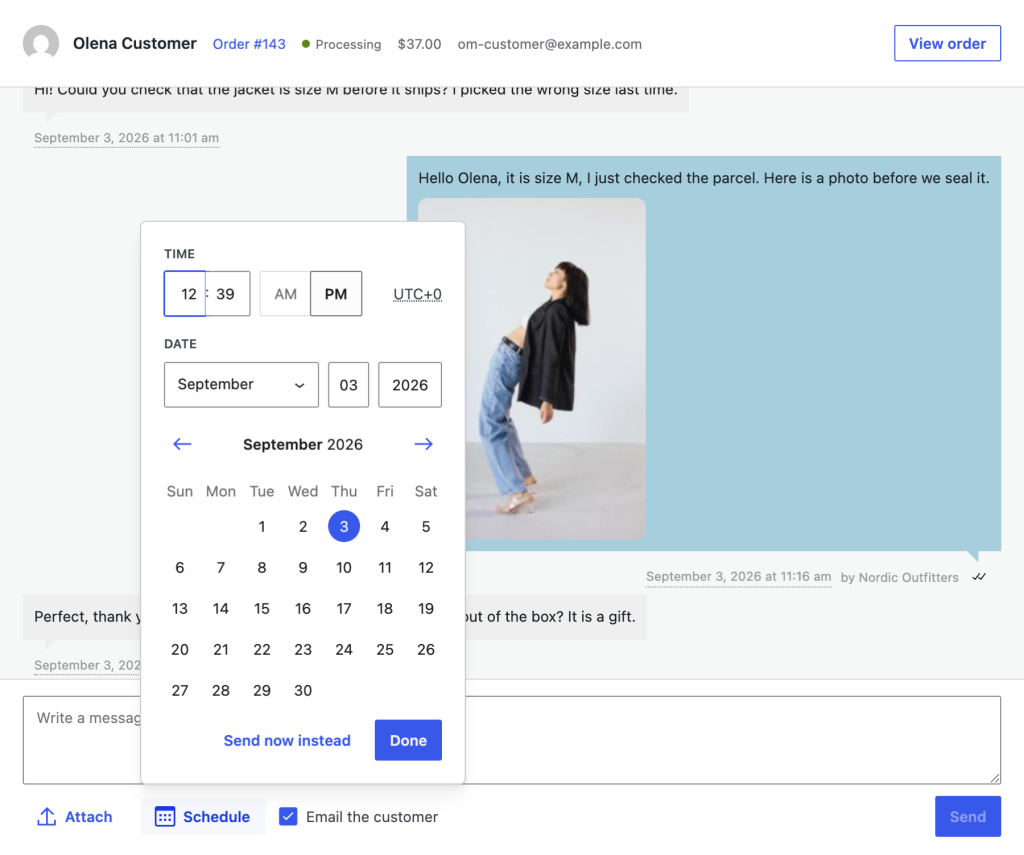
Scheduled messages
Write now, send later: delivery reminders, review requests, check-ins. Messages go out on their own, even when nobody is logged in, and can be cancelled until then.
Automatic purchasing message
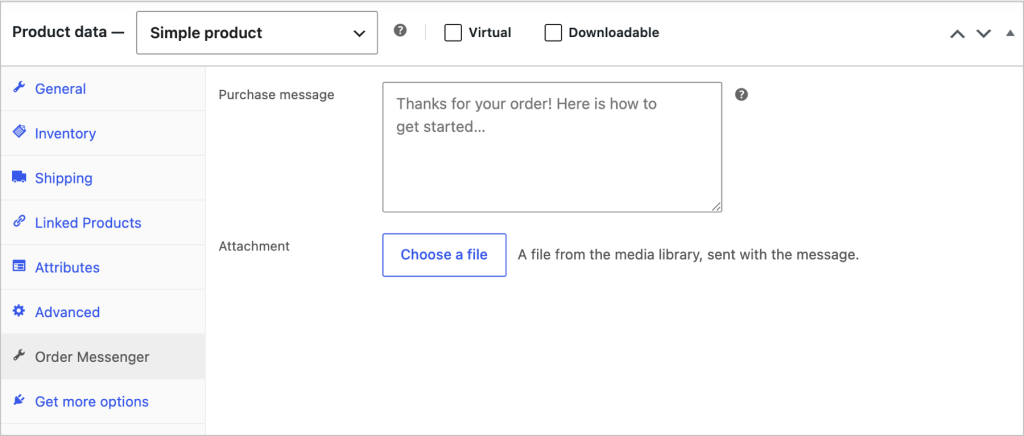
Give a product a message, with an attachment if you like, and every buyer receives it in their order conversation when the order is placed or paid.
The whole story of the order
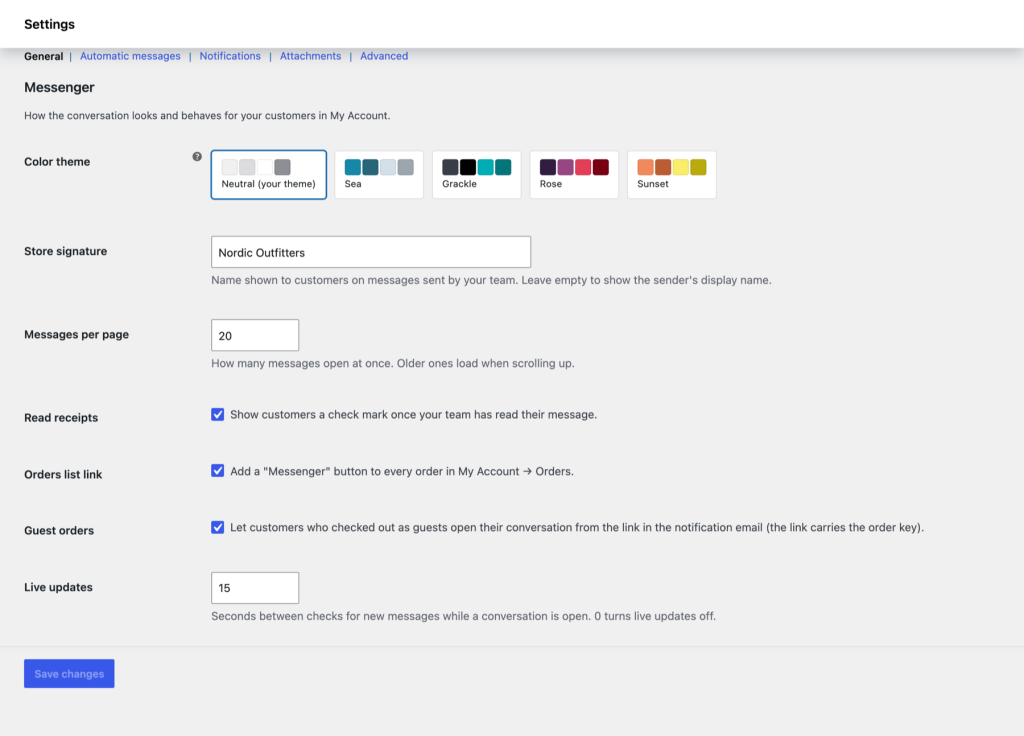
Status changes and customer-facing order notes are posted into the conversation, read receipts show what was seen, and the store signature keeps replies consistent.
Team access
Choose which roles can read and answer; administrators always can. Messages from the team can appear under your store name instead of personal names.
Fits your store
The chatroom inherits your theme’s fonts, colors and buttons, or takes one of the built-in palettes. Classic and block themes, high-performance order storage, shortcodes for any page.
See it in action
A 90-second walkthrough: the customer chat, the team inbox, scheduling, settings and read receipts.

Free and premium
The free version is on WordPress.org and covers the whole conversation flow. Premium adds private file attachments for customers and your team, plus updates and priority support. Every premium license comes with a 7-day trial and secure checkout by card or PayPal.
Single site
Renews yearly, cancel anytime.One payment, no renewals.
- ✓ Premium on 1 site
- ✓ File attachments for customers and your team, stored privately
- ✓ Updates and priority support for a yearUpdates and priority support for life
3 sites
Renews yearly, cancel anytime.One payment, no renewals.
- ✓ Premium on up to 3 sites
- ✓ File attachments for customers and your team, stored privately
- ✓ Updates and priority support for a yearUpdates and priority support for life
9 sites
Renews yearly, cancel anytime.One payment, no renewals.
- ✓ Premium on up to 9 sites
- ✓ File attachments for customers and your team, stored privately
- ✓ Updates and priority support for a yearUpdates and priority support for life
Upgrading from the free version keeps every conversation and setting: enter the license key and attachments switch on.
FAQ
What are the requirements?
WordPress 6.5 or newer, WooCommerce 9.0 or newer and PHP 7.4 or newer. The plugin works with classic and block themes and with high-performance order storage. If your theme is the exception, we will fix it.
Is there a free version?
Yes. Orders Chat for WooCommerce on WordPress.org has the same conversations, notifications, scheduled messages and purchase messages. File attachments are part of the premium version.
Do guest customers get the chatroom?
Yes. Customers who checked out without an account find the conversation on the order confirmation page, protected by the order key, and the notification emails link back to it.
Will it match my theme?
The chatroom is built from your theme’s own fonts, colors and buttons, so it looks native out of the box. Pick one of the palettes in the settings if you want it to stand out, or restyle it with a few CSS variables.
What if it doesn’t work for my store?
Purchases are covered by a satisfaction guarantee — see our Refund and Returns Policy.
What happens when the license expires?
The plugin keeps working — you just stop receiving updates and support until you renew.